Overview
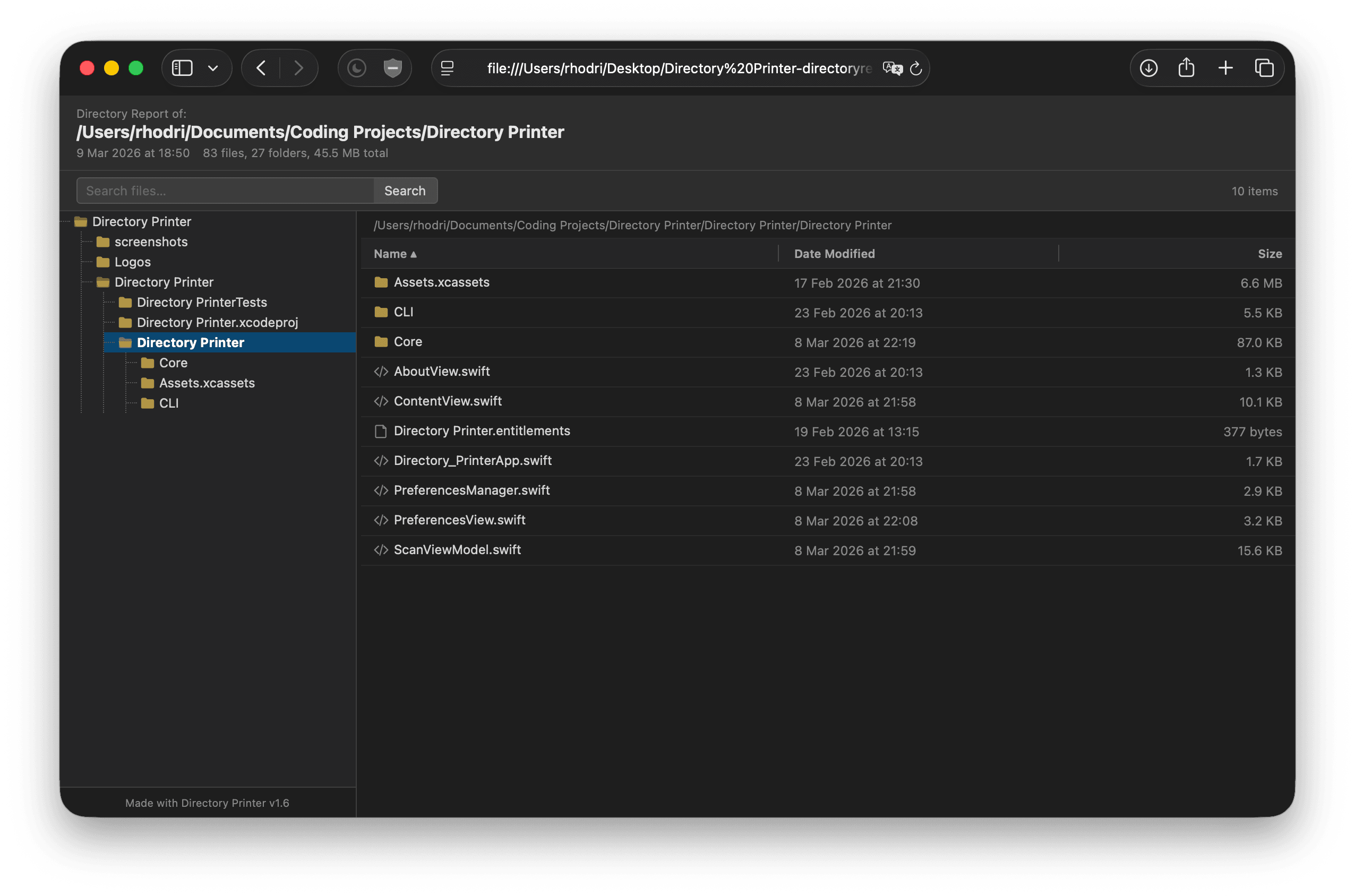
Directory Printer is a macOS app that scans a folder and generates a self-contained HTML Directory Report of its contents. The HTML file contains an interactive file browser - a collapsible directory tree on the left and a sortable file listing on the right. There are options to include thumbnails, links and encryption. I was heavily inspired by Snap2HTML and decided to create an app that worked on Macs.
Key Features
- Drag and drop a folder or use the folder picker to select a root directory.
- The app generates a single, portable HTML file with no external dependencies - apart from if thumbnails are generated (see later).
- Full interactive tree navigation with folder expand/collapse with text search across all files in the report.
- Sort files by name alphabatically, by date modiefied and size - just like you would in a Finder window.
- Small icons are displayed next to each file according to it's file type.
- Optionally include hidden files and file:// links for direct file access.
- Add a custom logo for branding which is embedded in the HTML file as base64.
- Generate thumbnails for all images and video files in the directory:
- Uses the QuickLook framework to quickly gather previously generated thumbnails by Finder, falls back to creating it's own if required. Supported files include images, videos PDFs documents, and 3D files.
- Thumbnails are downscaled to keep the file size low - they're not meant to be previewable, more just a quick reference if required.
- It's not really ideal to embed those thumbnails in the HTML file, so the app outputs a folder with the HTML file alongside a /thumbnails folder. The user can optionally save a .zip file instead to keep everything contained and ready to share.
- HTML Gzip compression:
- The HTML file can easily get climb into a few MBs on medium-large directories. Because of the repetative nature of the data (same directories repeated), the app can compress the directory data significantly reducing the size of the HTML - about a 13:1 compression ratio.
- Encryption:
- When enabled, the app generates a password protected HTML file with directory data encrypted with AES-256-GCM. It's decrypted on the fly in the browser once the correct password is entered. The only data visible before decrypting is the name of the file itself.
- For simplicity, thumbnail generation is disabled when encryption is enabled. The user can always zip the output folder with a password using Keka.
- Universal app supporting Intel and Apple Silicon from macOS 13+
Screenshots


Tidbits
I don't have a paid Apple Developer account as of writing so the app isn't notarised by Apple.
The releases on GitHub are built using GitHub Actions - in no way is this neccesary at all but thought I'd figure it out and it works great! But it's easy to miss some key information for the build, such as building for x86 and ARM 🤦🏻♂️. If you download any version under v1.5.1 on an Intel Mac, it won't open, oops.