
Overview
I needed to download thousands of video from a Vimeo account. Vimeo's own interface lets you download videos one at a time, which is fine for a handful but painful when you're trying to archive an entire account or migrate everything off the platform. I wanted a tool that could authenticate once, display the folders and videos in the account and pull down every source file within a folder while keeping a clear record of what worked and what didn't.
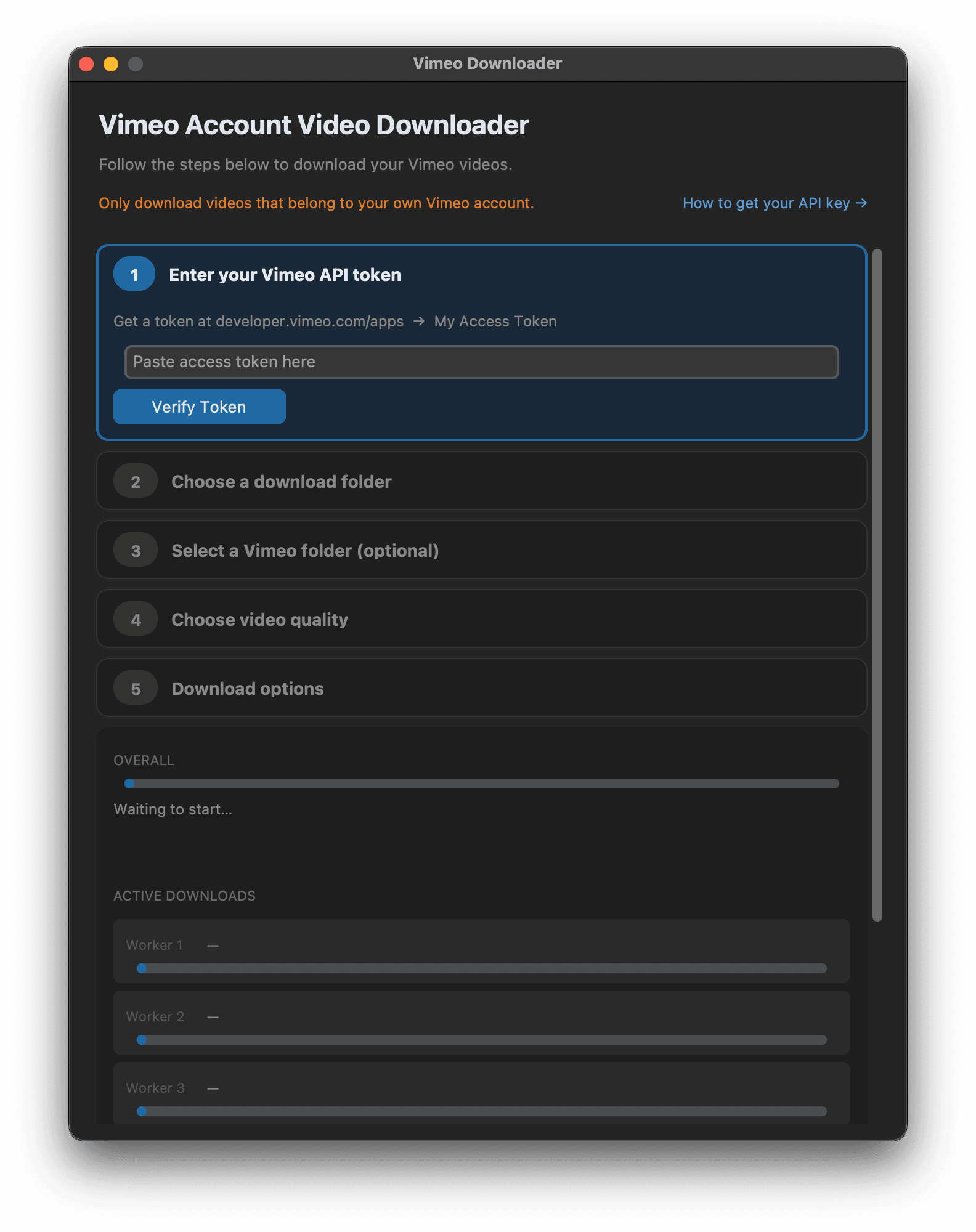
Vimeo Downloader is a desktop app that does exactly that. You paste in a personal access token, pick a save location, optionally narrow it down to a single Vimeo folder, choose a quality, and let it run. It streams each video to disk, organises files into subfolders that mirror your Vimeo folder structure, and logs every result to CSV so you always know the state of the archive - what downloaded ok and in what quality, and what failed.
It started life as a terminal script before I decided trying to grow it into a proper native app packaged for macOS and Windows with a GUI, so anyone can run it easily.
Key Features
- Built-in guide walking you through generating a Vimeo API token with the right scopes.
- Authenticate with a Vimeo personal access token, entered at runtime and never stored.
- Browse and pick a specific Vimeo folder, or download the whole account.
- Choose quality: Source, 1080p, 720p, or 540p, with a fallback to the next best available.
- Optional multithreading with 3 concurrent downloads, each with its own progress bar - primarily to save time but sometimes better to disable for stability.
- CSV logging of every video with status, resolution, file size, and error details.
- Automatic retry tracking: videos with no downloadable source get flagged in
retry_later.csv, and a retry mode re-attempts just those. - Skips files that already exist, so you can stop and resume without re-downloading.
How It Works
It talks to the Vimeo API, looks through folders and videos, resolves the best download link for the requested quality, and streams the file to disk. All of this is bearing in mind the user has a pro or higher account.
The GUI is built with CustomTkinter. Each step only unlocks once the previous one is done, which keeps the flow obvious and prevents any errors from occuring. Verifying the token does kills two birds with one stone - it checks the key works and pulls down the list of folders in the same call, so the folder picker is already populated by the time you reach it.
Vimeo does seem throttle downloads to around 10MB/s. Allowing 2-3 downloads at once does speed up the overall process, but I did encouncter an issue while trying to download 800 videos so leaving in the '1 video at a time' option seemed best to allow the user to choose, depending on the size of their Vimeo library.
Not every video on Vimeo has a downloadable source file, it depends on the account settings at upload time. Rather than marking those as hard failures, the app flags them into retry_later.csv with the reason, and it uses a dedicated retry mode which reads that file back and re-attempts to just download those videos later. Combined with the 'skip if exists' check, the whole thing is safe to run repeatedly against the same account.
Distribution
The app can be shipped as a native .app for macOS and .exe on Windows via PyInstaller (yet to test on Windows as of writing), so end users don't need an up to date version of Python installed. A GitHub Actions workflow builds both Apple Silicon and Intel versions on tagged releases and publishes them straight to GitHub Releases.